

Getting started
Add your first property
Everything in Affixr sits under a property. Add one before you start logging snags.
- 1
Open Properties
Use the Properties tab in the bar at the bottom of the app (on a tablet it sits down the side). Tap the + button to add a new property.
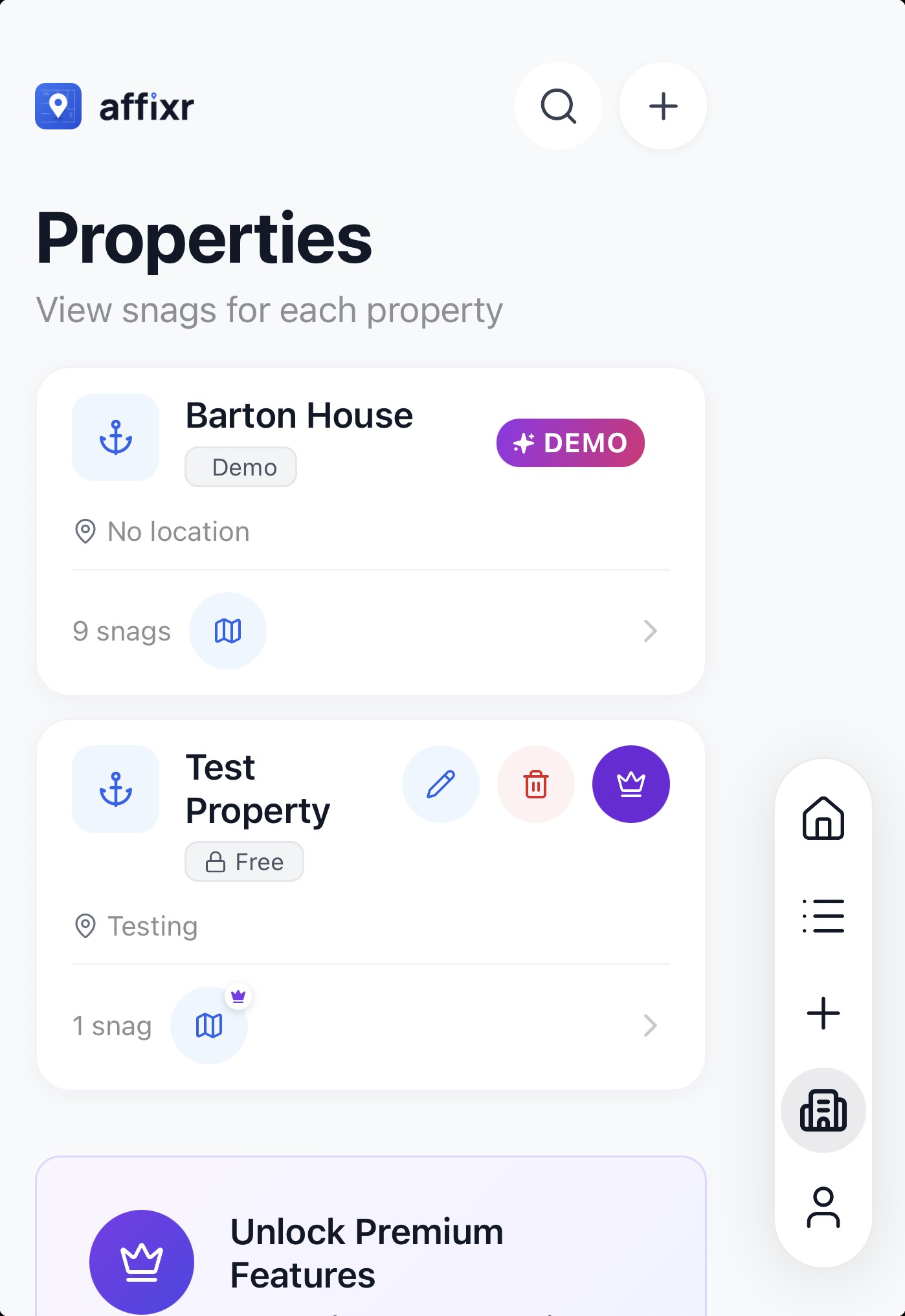
Properties list in Affixr, with a property card and an Unlock Premium option - 2
Enter the details
Give the property a name, then add a location. You can also add an optional description. Location is required — the app will ask you to enter one if it is left blank.
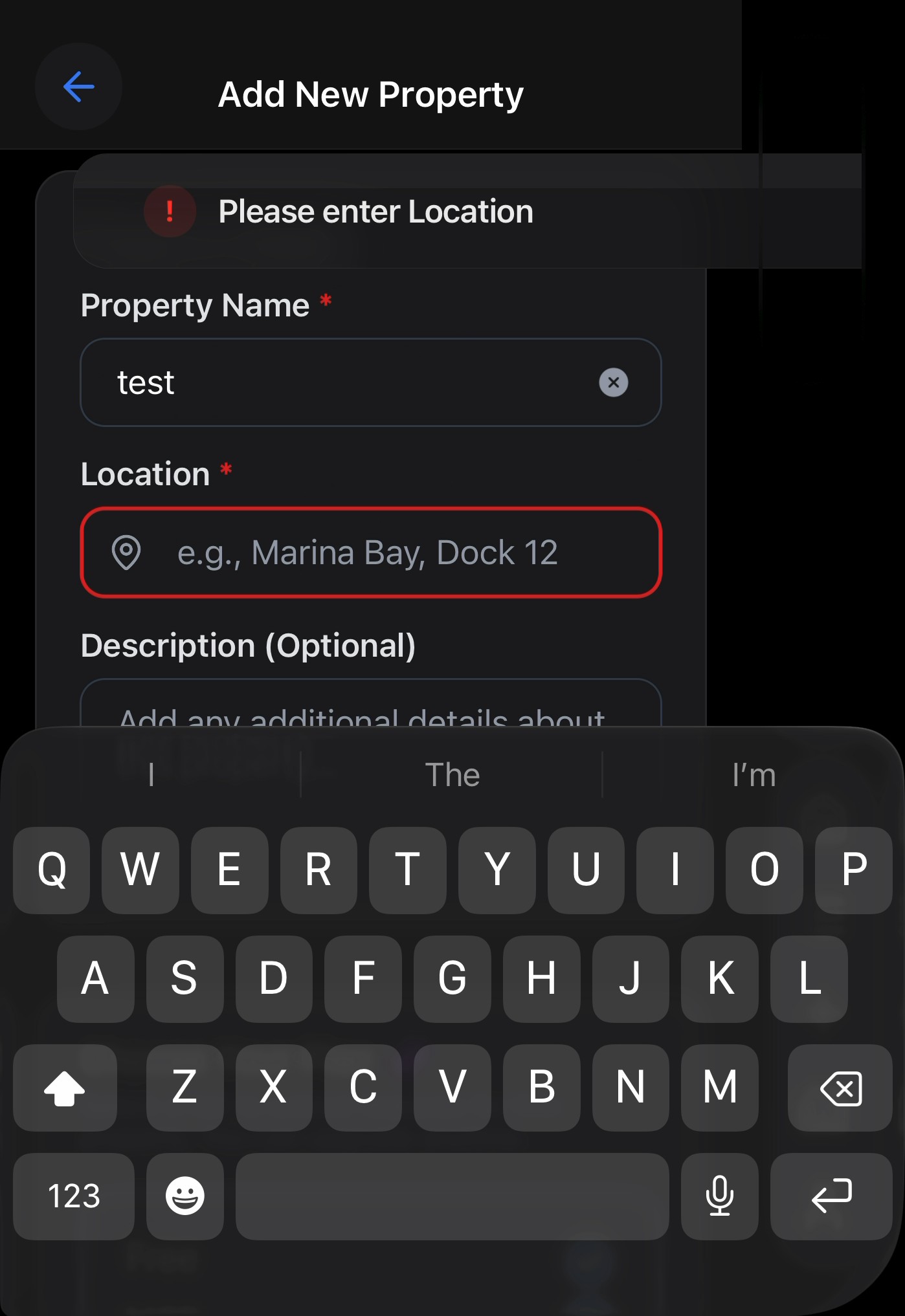
Add New Property form with Property Name, Location and Description fields - 3
Walk the property room by room
Open the property to see snags grouped by room. You can add rooms as you go, then start logging defects.
Related guides
- Manage properties and roomsKeep every property in one list, then view snags grouped by room.
- Log a snag with photos or videoAdd a snag with photos, a title, the room, a category and a status.
- Upgrade a propertyChoose a plan when you add a property, or upgrade a Free property later from the Properties list.
Still need help? Contact us
Questions about the app, a purchase or a feature? Email us and we will get back to you.
We aim to reply within a couple of working days.