

Logging snags
Search, filter and sort snags
Once a property has more than a handful of snags, search is the quickest way to find one.
- 1
Open All Snags
Go to the Snags tab. The search button is in the top right, next to the more menu.
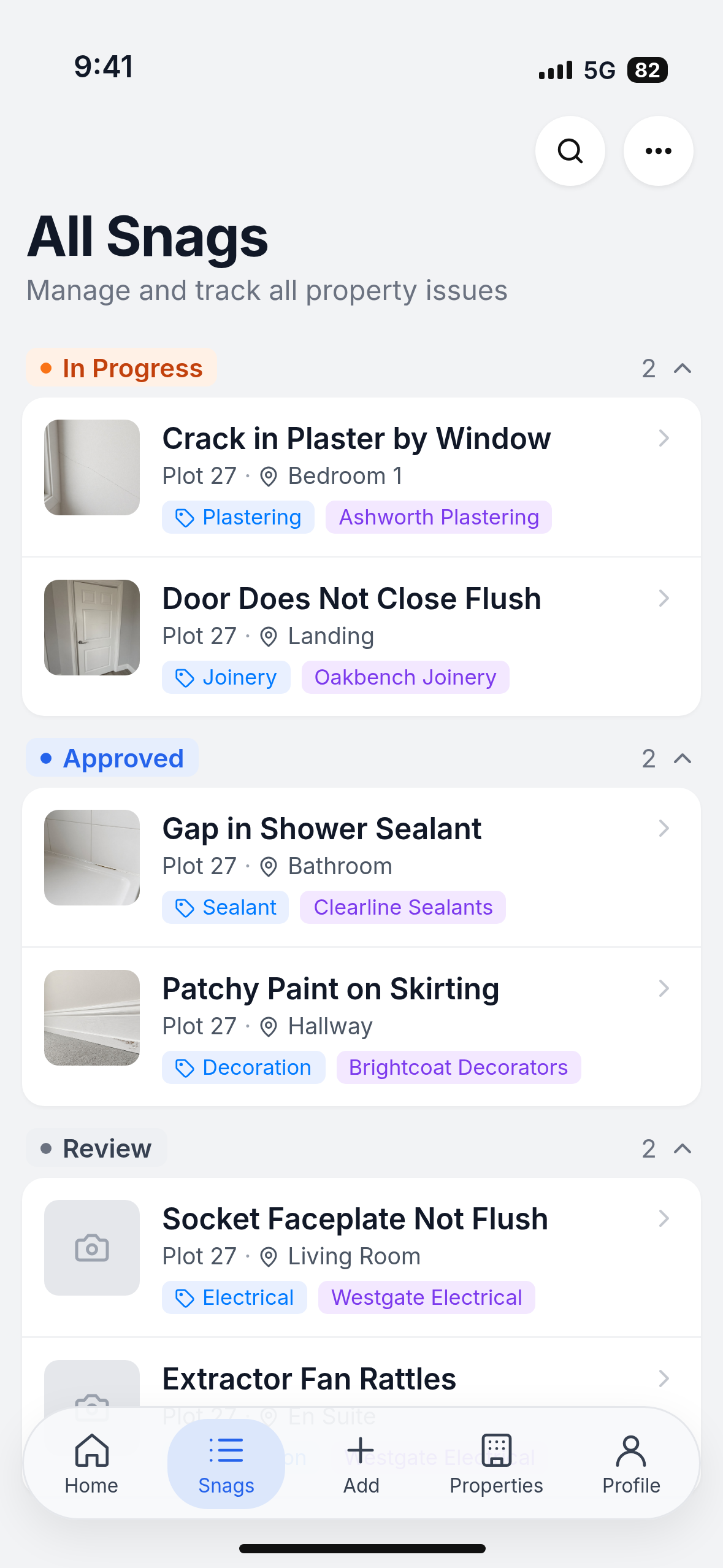
All Snags screen with the search button in the top right - 2
Search or browse by status
Type a word from the title, room or category, or use the status groups on the list to jump to what is still open.
- 3
Open the snag to edit it
Tap a snag to see the full details, update the status, or add another photo.
Related guides
- Organise snags by room, category and statusKeep every defect easy to find, whether you are walking a room or reviewing the full list.
- Understand snag statusesMove each snag through Review, In Progress and Completed as work happens.
- Manage properties and roomsKeep every property in one list, then view snags grouped by room.
Still need help? Contact us
Questions about the app, a purchase or a feature? Email us and we will get back to you.
We aim to reply within a couple of working days.